When to use Unicko Meetings vs. Unicko Webinars
July 26, 2026
If you're trying to choose between Unicko meetings and webinars, the decision comes down to two simple factors: your audience size and the level of real-time interaction you require. Both platforms offer robust tools, but they are built for fundamentally different purposes. This guide outlines those differences so you can select the right tool for your specific needs.
Unicko Meetings: Built for Interaction and Education
Meetings are designed for interactive sessions, primarily focused on collaboration, educational lessons, and training.
- One-on-one and small group sessions.
- Interactive classes with up to 100 participants.
- Large-scale lectures and events supporting up to 500 attendees.
The core difference is control: meetings are collaborative, meaning every participant can be a speaker. All participants can have access to their microphone and camera. Meetings also include key features for group work and training, such as Breakout Rooms, Collaborative Whiteboard and Multiple Screen Sharing.
Unicko Webinars: Built for Scale and Presentation
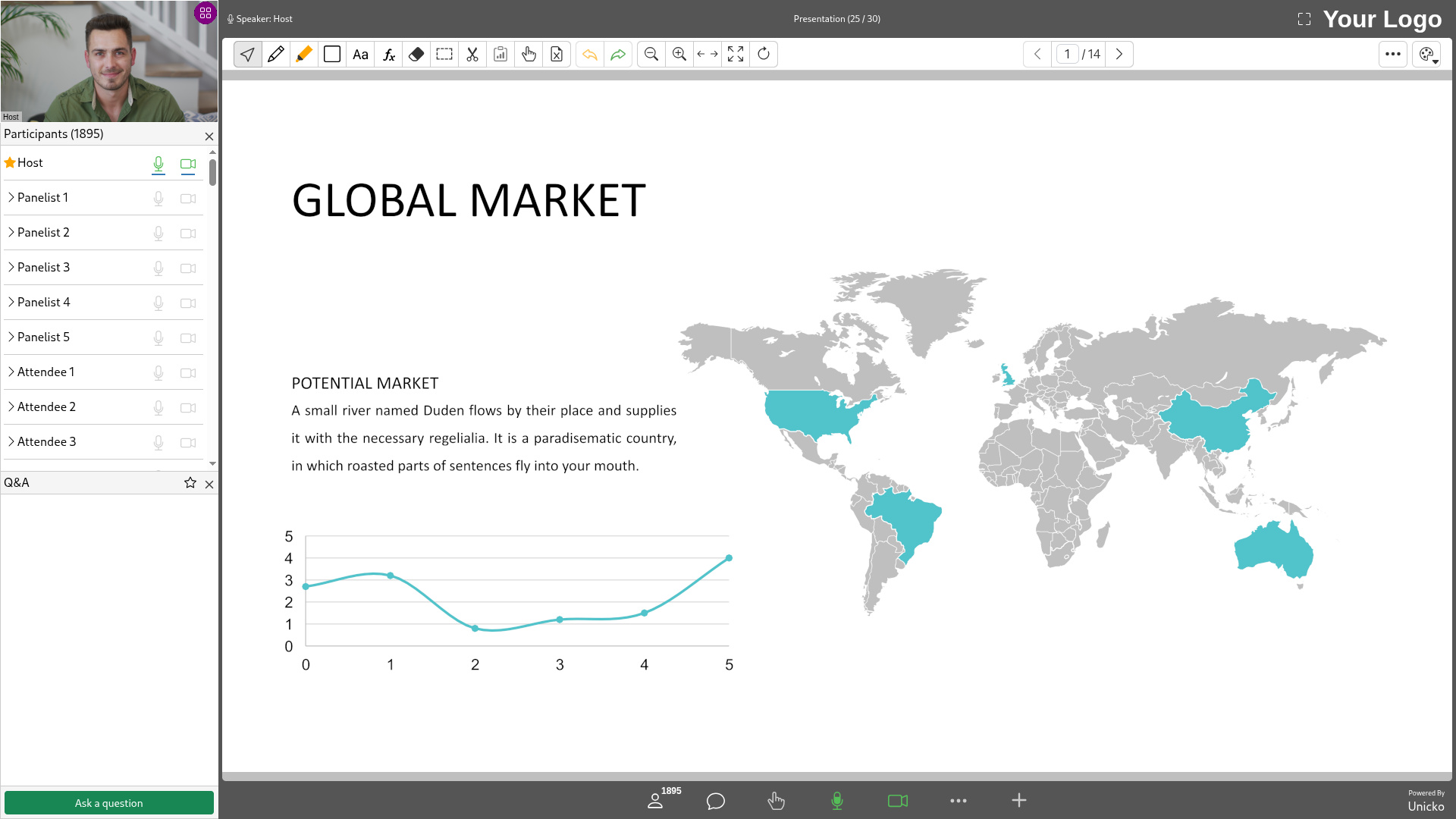
Webinars are engineered for presenting to a large audience, with a structured flow that begins well before the event starts. To ensure a seamless and professional experience, hosts can manage the pre-session setup by overseeing registrants, assigning panelists, uploading presentation content in advance, and applying custom branding.
Once the session begins, the format is structured for formal presentations delivered by hosts and panelists directly to participants.
- Marketing and product launches.
- Expert panels and virtual summits.
- Company town halls and executive updates.
To maintain control and presentation quality during these sessions, access is restricted: only hosts and panelists can share their microphone and camera. Attendees are hidden from view and primarily interact using Q&A and polling.
Key Differences at a Glance
Here are some features to help you decide between Unicko meetings and Unicko webinars:
| Unicko Feature | Meeting | Webinar |
|---|---|---|
| Max Participants | Up to 1000 participants | Up to 2000 participants |
| Attendee Names Visible | ✓ | ✗ |
| Microphone & Camera | All participants | Hosts & Panelists |
| Registration Page | ✓ | ✓ |
| Session Branding | ✗ | ✓ |
| Session Recording | ✓ | ✓ |
| PowerPoint and PDF sharing | ✓ | ✓ |
| Media files and YouTube videos | ✓ | ✓ |
| Whiteboard and Markup Tools | ✓ | ✓ |
| Text Editor | ✓ | ✓ |
| Screen Sharing | ✓ | ✓ |
| Engagement Tool | Chat | Q&A |
| Polls & Quizzes | ✓ | ✓ |
| Breakout Rooms | ✓ | ✗ |
| Collaborative Whiteboard | ✓ | ✗ |
| Multiple Screen Sharing | ✓ | ✗ |
How to Decide What to Use
- Choose Meetings if: Your priority is collaborative interaction, dialogue, or education (e.g., teaching, internal team training, small group meetings). You need all participants to be able to talk, annotate documents, or share their video.
- Choose Webinars if: Your priority is audience scale and structured presentation (e.g., product launches, marketing events, conferences). You require maximum audience capacity, event branding, and a dedicated Q&A tool.